Earth science
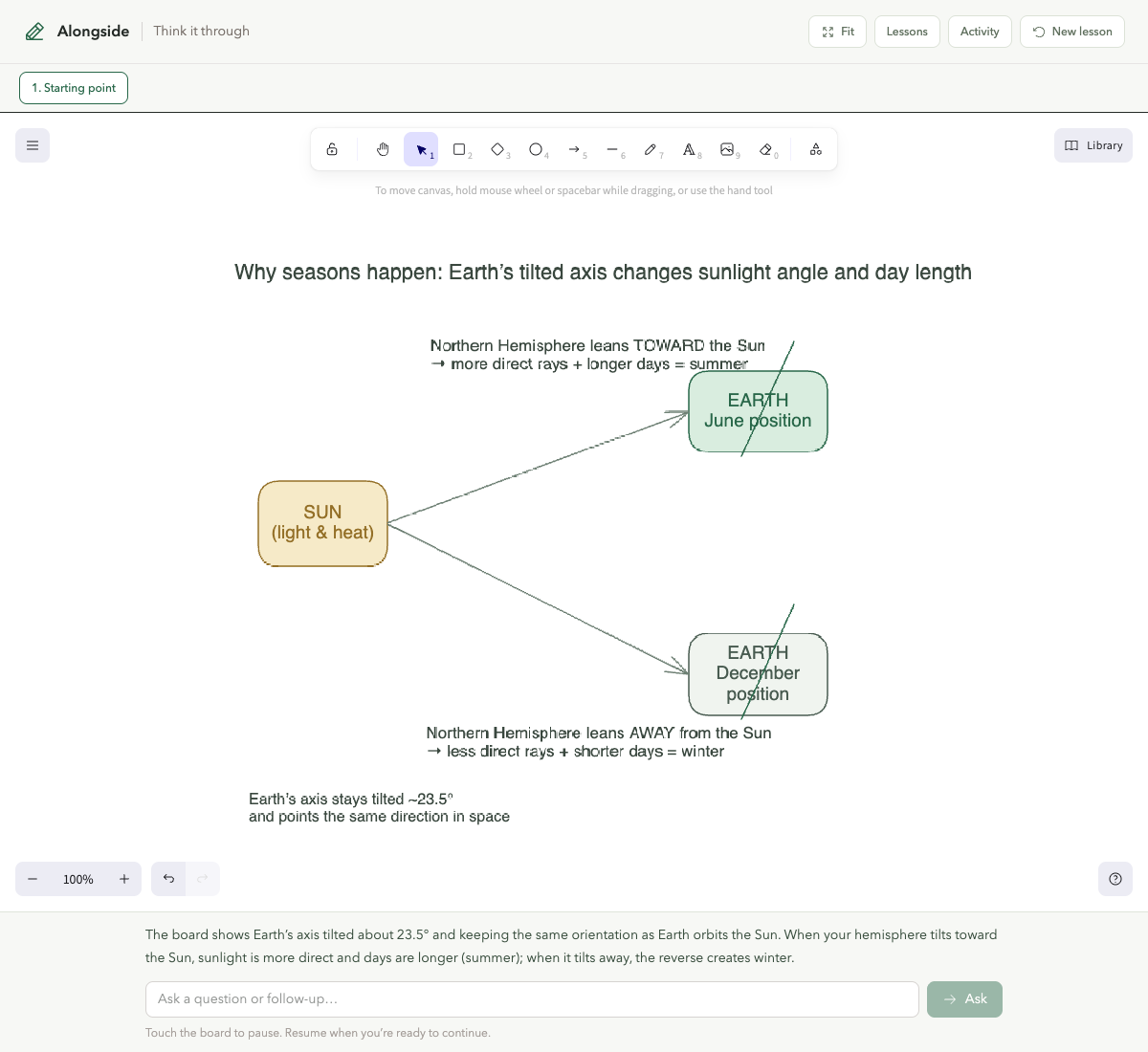
Why do seasons happen?
The tilted axis changes sunlight angle and day length as Earth moves around the Sun.
A visual learning partner for the web
Turn videos, articles, code, and web pages into editable visual lessons while you learn.
Learn beside the material itself
Alongside stays with the source and turns a question into something you can inspect, interrupt, and change.
Open Alongside beside a video, article, pull request, or web page.
Start broad, interrupt, or focus on the one part that still feels unclear.
Alongside builds the explanation progressively on an editable canvas.
Pause, edit, revisit the lesson, or keep following your next question.
Start with the question you actually have. Alongside chooses the visual form that helps explain it.
Earth science
The tilted axis changes sunlight angle and day length as Earth moves around the Sun.
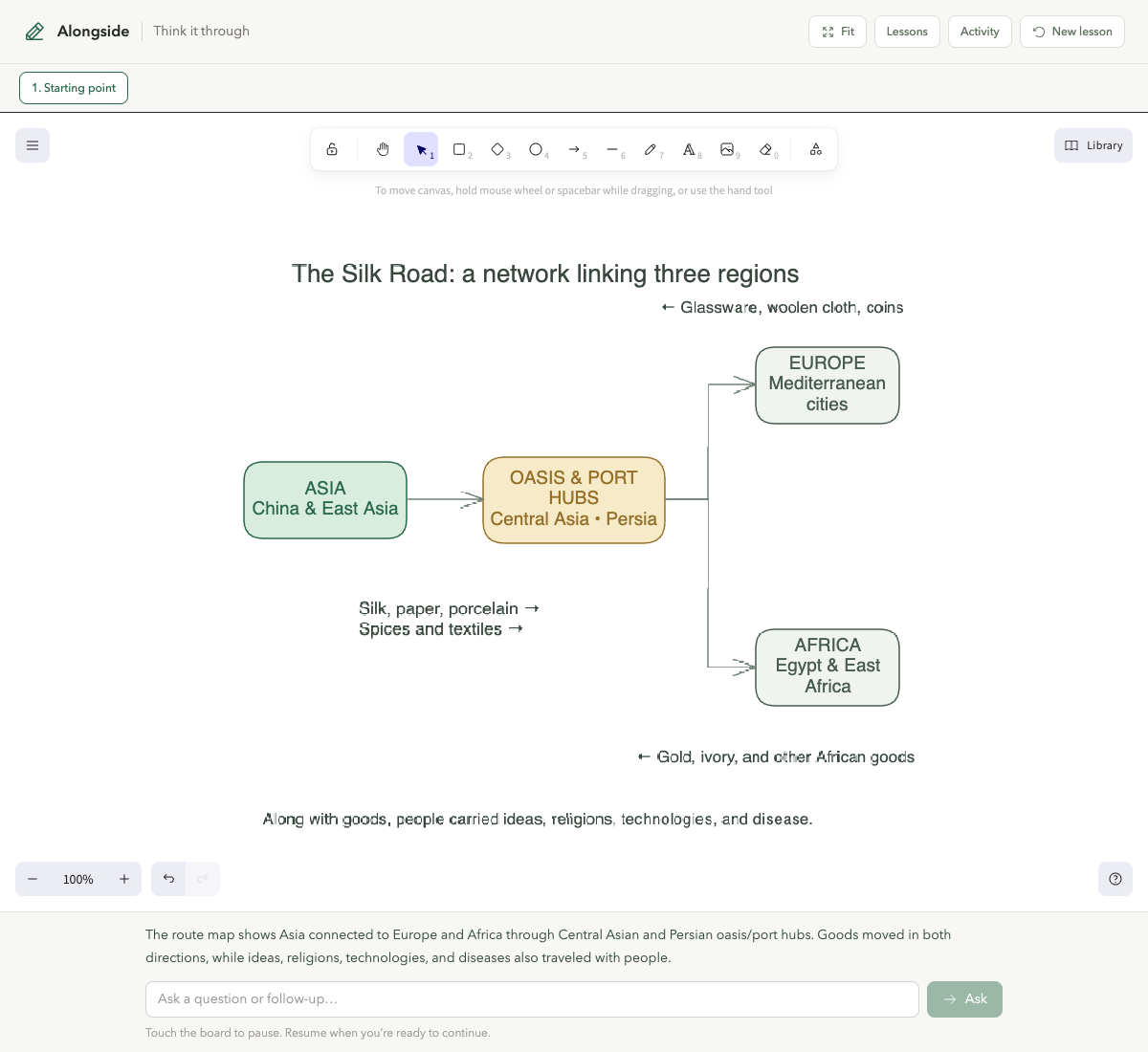
World history
A route diagram links Asia, Mediterranean Europe, and Africa through oasis and port hubs.
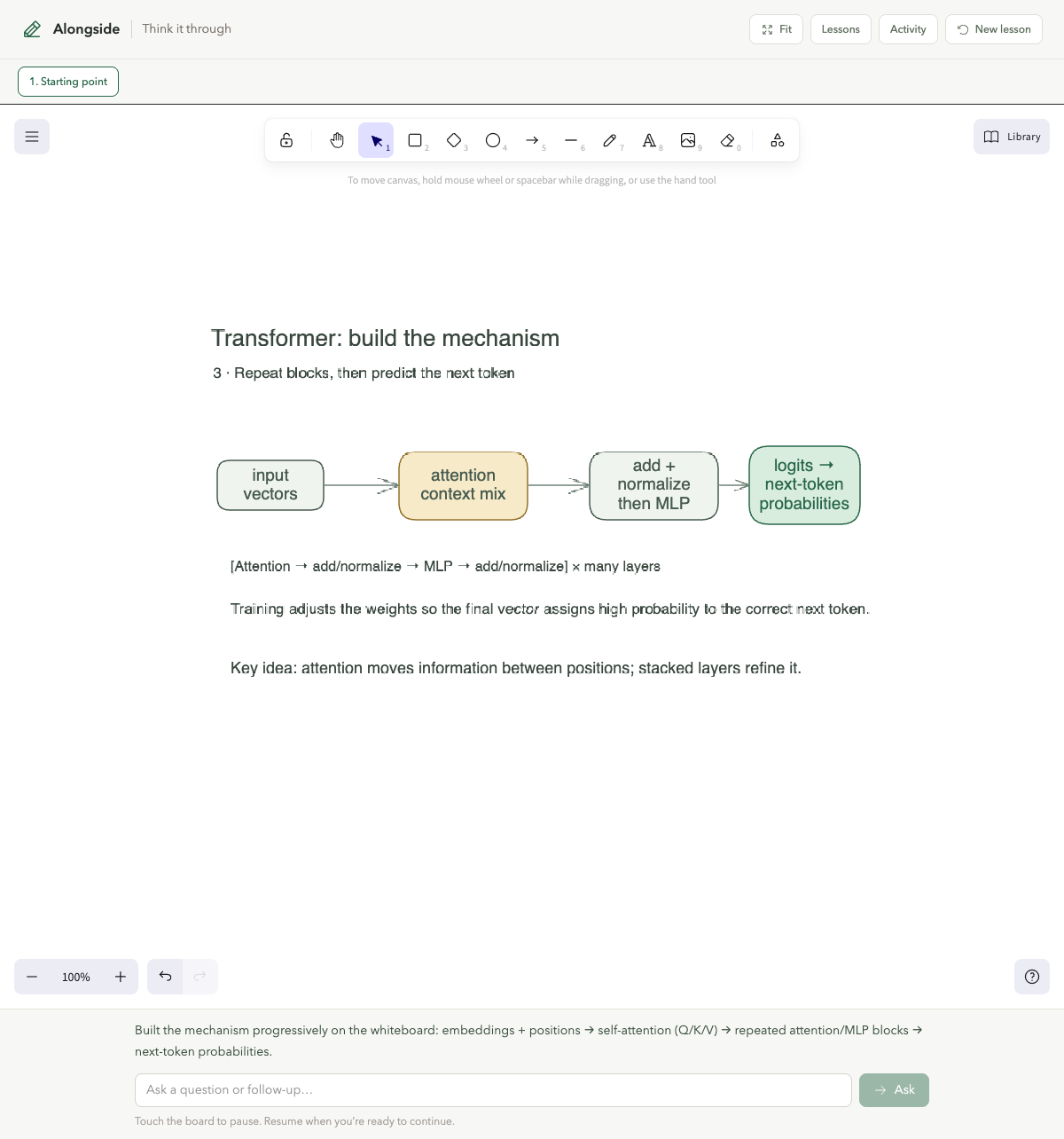
Computer science
Tokens move through attention and repeated processing blocks toward a next-token prediction.
Pause the lesson, move the pieces, ask a follow-up, and return when you are ready.
Alongside is a visual learning partner that turns questions about what you are viewing into editable explanations on a shared canvas.
Open it beside supported source material, ask a question, and watch the explanation develop. You can pause, edit the canvas, and ask follow-ups.
Use it for ideas across science, history, economics, technology, and other subjects where a diagram or sequence makes the mechanism easier to see.
The extension connects Alongside to the page you are learning from. You can still visit the web app directly to open saved lessons.
Alongside will help you see how the idea fits together.
 Continue with Google